


A scanner is a device that converts documents, images or other physical elements into digital files. It works by capturing information using light, analysing the content point by point to create a digital image that accurately represents the original, whether in black and white or colour.

What is a scanner?
Thanks to a scanner, a business can digitise invoices, contracts or physical files, automate processes using OCR software and reduce paper usage. For a private user, it is useful for storing important documents, photographs or paperwork without relying on paper or physical copies. It is a key tool for moving from the physical world to the digital one, improving organisation, accessibility and efficiency.
Nowadays, a scanner is not always a standalone device. In many homes and offices, it is integrated with a printer into a single piece of equipment, known as multifunction printers. The use of a mobile phone camera as a scanner through specific applications such as CamScanner has also become widespread. However, these alternatives have limitations in terms of quality, speed and reliability, so when scanning is a regular or professional task, a dedicated scanner remains the most suitable option.
How does a scanner work?
A scanner works through a simple process: capturing information from a physical document and converting it into digital data. To achieve this, the device combines light, sensors and software that work together in a coordinated way.
Document capture using light
The document is placed on a glass surface or inserted into the automatic document feeder. A light source illuminates the content while an internal unit moves underneath, analysing the document line by line. The reflected light passes through a system of mirrors and lenses that directs the information towards the sensors.
Sensors and image conversion
Most modern scanners use CCD or CIS sensors, which measure reflected light and convert it into electrical signals. These signals are converted into digital information through an analogue-to-digital converter, allowing the image to be accurately reconstructed pixel by pixel.
Creation of the digital file
Once the data has been processed, the scanner sends the information to the computer, where the final file is created. In 2026, this file is not limited to images: scanners can create PDF, JPG, PNG or TIFF files, and even editable documents using OCR technology, making it easier to manage and archive information both personally and professionally.
Optical character recognition (OCR) is a technology that allows a scanned document or image to be converted into editable and searchable digital text. Through specialised software, OCR analyses the shapes of letters and numbers, identifies them and transforms them into data that can be copied, edited or integrated into other systems. In 2026, this technology is essential for automating document management, making searches easier and reducing manual work in administrative tasks.
Types of scanners
Flatbed scanner
Flatbed scanners, also known as desktop scanners, are the most common and recognisable type. They consist of a flat glass surface where the document is placed, while an internal system moves underneath to capture the information evenly.
This type of scanner is designed to digitise flat documents such as printed sheets, photographs, illustrations or even book pages. They are not intended for high-volume workloads, but they offer reliable and straightforward digitisation when the number of documents is low or moderate.
This is why they are a common choice in homes, offices and small businesses, where versatility and ease of use are prioritised over large-scale automation. They work in a similar way to a photocopier, with the difference that the result is saved directly as a digital file on the computer or network.
Their main limitation is the maximum document size, usually restricted to standard formats such as A4 or A5, as well as taking up more physical space than other models. In return, they offer good scanning quality, compatibility with different file formats and, in many current models, features such as wireless connectivity and digital document management.
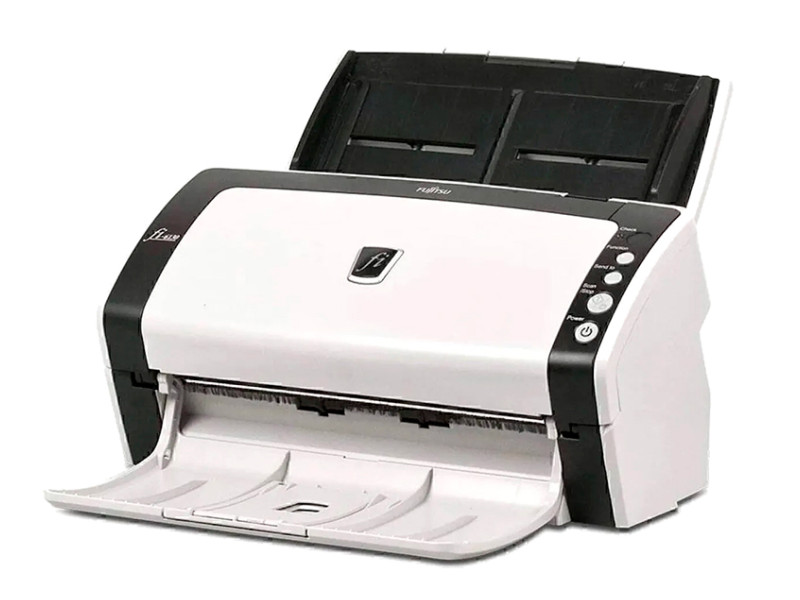
Technology: Colour Document Scanner -Image Sensor: Colour CCD – Scanning Speed: Up to 40 ppm Colour, 30 ppm Greyscale – Resolution: Up to 600 dpi –
Connectivity: USB 2.0 -Duplex: Built-in Double-Sided Scanning – 50-Sheet Automatic Document Feeder.
Automatic Document Feeder (ADF) scanner
Automatic document feeder scanners, also known as sheetfed scanners or scanners with an automatic document feeder (ADF), are designed to digitise large quantities of pages without manual intervention. With these models, you only need to place a stack of sheets in the tray and the scanner processes them one by one automatically, significantly speeding up the work compared with scanning each page individually on a glass surface.
Advantages of ADF scanners
- Automatic feeding: thanks to the ADF, documents are pulled through a roller system into the scanner without the need to handle each sheet individually.
- Ideal for large volumes: its design reduces time and effort when digitising reports, contracts, invoices or complete files.
- Double-sided scanning: many models include technology to scan both sides of a sheet in a single pass, further increasing productivity.
- Speed and efficiency: their speed is measured in pages per minute (ppm or IPM), and business models can process from dozens to hundreds of sheets quickly.
Scanners with ADF are particularly useful in administrative environments, where there is a need to digitise continuous documents frequently or systematically. From offices and professional practices to hospitals or law firms, these devices streamline document processes and reduce human errors.
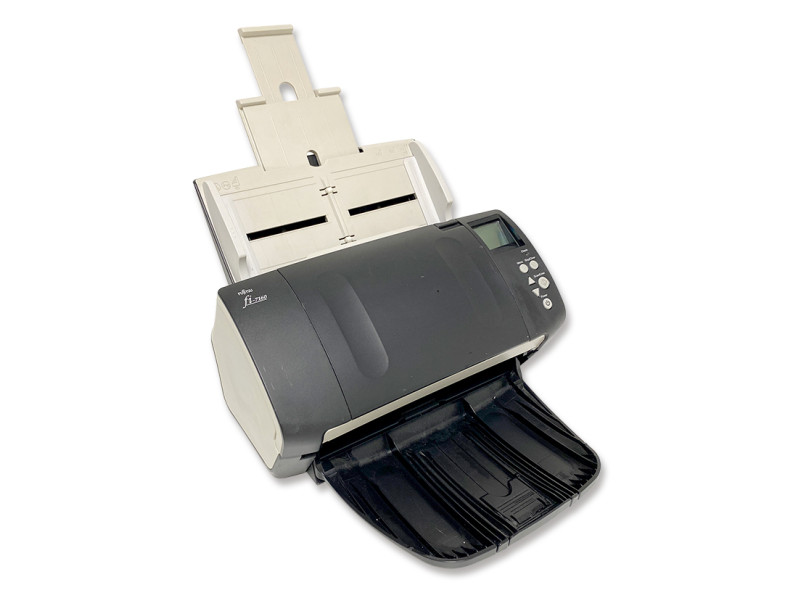
Discover the refurbished Fujitsu fi-7160, a high-speed professional scanner with a colour CCD sensor, resolution of up to 600 dpi and automatic duplex scanning.
High-volume scanner
High-volume scanners are designed to process large quantities of documents continuously, far exceeding the capacity of desktop models or even ADF scanners. They are typically used where there is a need to digitise tens of thousands of pages per day with speed, reliability and minimal human intervention.
Advantages of high-volume scanners
- Speed and performance: they can scan at speeds that far exceed 90 pages per minute, placing them well above standard scanners or workgroup models.
- Robust construction: they are built for intensive use, with durable components designed to withstand continuous working cycles.
- Advanced automation: they usually include features such as automatic sorting, batch separation and feed control to reduce jams and errors.
- Integrated processing: some models include options to read barcodes and apply OCR in real time, organising data as documents are scanned.
These scanners are particularly useful in large companies that manage high volumes of documentation, such as banking, insurance, healthcare or public administration.
Portable scanners
Portable scanners are compact and lightweight devices designed to digitise documents and pages on the go, without the need for large equipment or a fixed workspace. Unlike desktop or ADF scanners, these models are designed to be carried with you and used wherever you need to scan.
Advantages of portable scanners
- Size and mobility: they easily fit into any case or briefcase and are ideal for working outside the office, in meetings, on trips or during client visits.
- Quick use: many models allow you to scan by simply sliding the device over the document surface or inserting a page into a slot; the process is quick and easy.
- Flexible connectivity: they can work via USB, Wi-Fi or even an internal battery, eliminating the need for a computer or a fixed power outlet.
- Common formats: digitised images are saved in common formats such as PDF or JPG, and many models include OCR to convert scanned text into editable text.
This type of scanner is ideal for mobile or field-based professionals such as sales representatives, technicians, auditors or consultants, who need to digitise contracts, receipts, notes or documents without returning to the office. They are also useful for students or anyone who wants to digitise books, notes or other documents conveniently and quickly.
Multifunction printers (with built-in scanner)
In an article about scanners, we could not leave out a type of device that, although its name focuses on printing, includes a scanner as an essential function: multifunction printers. Also known as all-in-one or MFP (Multi-Function Printer/Product), these devices combine printing, scanning, copying and sometimes faxing in a single machine.
Advantages of multifunction printers
- Integrated digitisation: you can scan documents from the same machine and save them or send them by email without needing another device.
- Simplified workflow: by combining scanning and printing in a single device, you save time and avoid having to move between multiple machines.
- Advanced connectivity: many multifunction printers allow you to scan directly to the cloud, network folders or mobile devices via Wi-Fi or USB.
Multifunction printers are ideal when you do not only need to scan, but also regularly print or photocopy. They are especially useful in small offices, home offices or environments with limited space, where simplifying equipment is a clear advantage. If you would like to learn more about the different types of printers, we have prepared a specific article about the types of printers and their differences for you to explore in more detail.
Scanner type comparison
| Type | Best for | Advantages | Limitations |
|---|---|---|---|
| Flatbed | Home, small office | Quality, simplicity, versatility | Moderate volume, glass surface size |
| ADF (Automatic Document Feeder) | Offices with frequent batches | Automation, duplex, speed | Requires loose sheets in good condition |
| High-volume | Mass digitisation | Robustness, high performance, advanced features | Size, cost and operational complexity |
| Portable | Mobile working | Lightweight, quick to use, flexible | Limited scanning area, not suitable for large batches |
| Multifunction printer | Mixed environments | All-in-one, simplified workflow | If you only scan, there are functions you will not use. |
Key considerations when evaluating a scanner
When choosing a scanner, looking only at the price is not enough. Five key parameters help you decide which option best suits your needs, whether you scan occasionally or use it in a work environment with a high volume of documents.
Scanning speed
Scanning speed indicates how many pages a scanner can digitise in one minute and is usually expressed in pages per minute (ppm) or images per minute (ipm) when both sides of a sheet are scanned. A higher speed means greater productivity, especially useful when working with large batches of documents. For example, some models can reach over 90 ipm in duplex mode, which speeds up workflow in offices with high demand.
Optical resolution
Optical resolution, measured in ppi (pixels per inch) or dpi, defines the sharpness and detail of the digital image. The higher the dpi, the better small text and fine details are captured, which is important if you are going to scan photographs or documents that will be viewed on screen or printed. A resolution of 300–600 dpi is usually sufficient for most office uses, while higher values improve quality in more demanding scans.
Automatic Document Feeder (ADF) capacity
If you do not want to insert pages one by one, check the capacity of the automatic document feeder (ADF), meaning how many sheets it can load and process at once. Greater capacity means fewer interruptions and higher efficiency, especially when working with stacks of invoices, contracts or reports.
Connectivity
Connectivity determines how and where you can scan. Modern scanners usually include USB, Wi-Fi or LAN network connectivity, and some even allow you to scan directly to cloud services or mobile devices, simplifying digitisation in distributed or hybrid environments. Compatibility with different protocols and networks makes integration into existing infrastructures easier.
Compatibility with OCR software
If what you need is not just an image, but to convert the scan into editable or searchable text, make sure that the scanner or its associated software supports OCR (optical character recognition), which is especially useful for automating office tasks and managing large volumes of information.
Best scanner brands
Fujitsu
Fujitsu is widely recognised for its scanners offering high speed, reliability and durability, especially in professional and business environments. The ScanSnap series and more robust models from the fi- range provide solutions designed for demanding workloads, with high scanning speeds and good integration with document management software.
Brother
Brother has differentiated itself by producing scanners that combine ease of use, reliable daily performance and practical connectivity for SMEs and small offices. Its range includes everything from affordable compact models to desktop scanners with ADF, ideal for those looking for solid functionality without unnecessary complexity.
Canon
Canon is a leading brand in the world of scanners, especially in the category of flatbed scanners aimed at home use or small offices. Its models focus on offering high resolution, ease of use and a compact design, making them accessible without compromising digitisation quality.
What are the advantages of a refurbished scanner?
Choosing a refurbished scanner allows you to save money compared with a new device while keeping its full functionality. These devices have been checked and tested to ensure that their performance is suitable for the intended use, making them an attractive alternative for offices with limited budgets or for starting digitisation projects without a large initial investment.
In addition, extending the lifespan of a device contributes to greater sustainability, reducing electronic waste and making better use of resources. For many needs, from ADF document batches to occasional flatbed scanning, a refurbished device can offer a strong balance between cost and usefulness.
If you already know your digitisation volume and workflow, you can compare different options in our refurbished scanners section at Zoca. If you have any questions, we are available on 981 975 621 or at info@zoca.es to help you with anything you need.
Recommended products
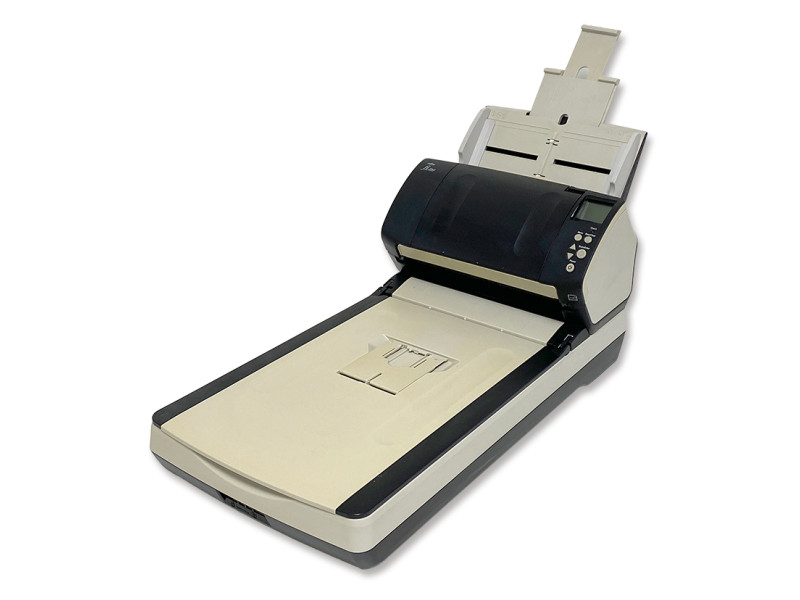
Fujitsu fi-7260 Flatbed Scanner
Discover the refurbished Fujitsu fi-7260, a professional scanner with a flatbed and an 80-sheet automatic document feeder. Its colour CCD sensor, 600 dpi resolution and duplex scanning reach speeds of up to 60 ppm. Perfect for digitising documents, books or fragile materials with quality, speed and reliability in demanding office environments.
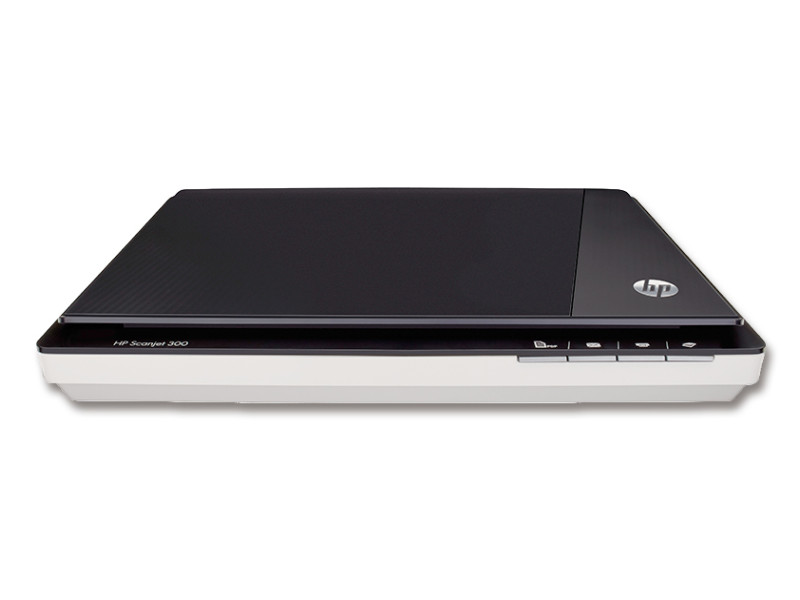
Make the most of the refurbished HP ScanJet 300 scanner, compact and efficient. With a resolution of 4800 × 4800 dpi and 256 greyscale levels, it delivers sharp A4 scans. Its USB connection allows for quick and easy use, ideal for everyday tasks.