


A 2-in-1 convertible laptop combines a traditional laptop with the flexibility of a tablet, offering a touchscreen, multiple usage modes and, in many cases, a digital pen. If you are unsure whether to choose a conventional laptop or a convertible model, this guide explains when a 2-in-1 is worth it, what to consider, including weight, processor, battery life, display and stylus support, and which models currently stand out.
This guide compares models by price range and real world use, including work, study, creative tasks and mobility, helping you make an informed decision without getting lost in technical jargon.
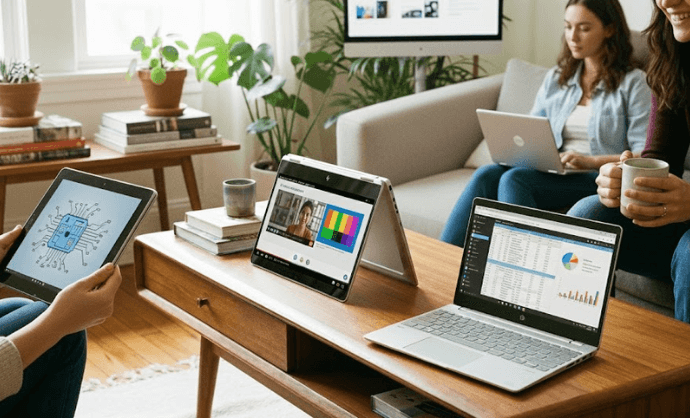
What is a 2-in-1 convertible laptop?
A 2-in-1 convertible is a laptop with a touchscreen that can be used in several modes: laptop, tent, tablet or presentation. There are two main formats:
- Convertibles with a 360° hinge: the keyboard remains attached, while the screen rotates to switch between modes. Typical examples include the HP Spectre x360 and Lenovo Yoga.
- Detachable devices: the screen contains the computer itself, while the keyboard can be attached or removed as a cover or base. A typical example is the Microsoft Surface Pro, which uses a magnetic keyboard.
Convertible vs detachable comparison table
| Format | Advantages | Key considerations |
|---|---|---|
| 360° hinge | Stable base when used on a desk, better weight distribution and usually more ports | Heavier in tablet mode, as the keyboard remains folded behind the screen |
| Detachable | Very lightweight in tablet mode, ideal for stylus use and maximum mobility | Fewer ports, optional keyboard and rear kickstand |
Advantages and disadvantages of a convertible laptop
Main advantages
- True versatility: one device for typing, presenting, drawing or signing documents.
- Saves space and reduces the number of devices needed: it can replace both a laptop and a tablet.
- Touchscreen and digital pen: ideal for taking notes, creating diagrams and sketching.
- Perfect for students, creatives and mobile professionals.
Potential drawbacks
- Price is slightly higher than that of equivalent laptops.
- Thermal limitations in very slim chassis, which can result in lower sustained performance.
- The digital pen is not always included, so check compatibility and the supported standard.
Traditional laptop or 2-in-1 convertible?
Comparison by use case
| Use case | A convertible is the better choice when… | A traditional laptop is the better choice if… |
|---|---|---|
| Office work | You use video calls, digital signatures, whiteboards and presentations in tent mode | You mainly use office applications for long periods and never use the touchscreen or digital pen |
| Study | You take handwritten notes, highlight PDFs and draw diagrams | You type everything on the keyboard and do not draw or annotate |
| Design and handwritten notes | You benefit from the precision of an active stylus and tablet mode | You use applications that are not optimised for touch and prefer using a mouse |
| Multimedia | You watch content in tent or stand mode and value a high quality OLED or IPS display | You always use it as a conventional laptop |
Key factors when choosing the best 2-in-1 convertible laptop
Portability and weight
- A good weight range for a 14 inch model is 1.3 to 1.5 kg. Anything below 1.3 kg is excellent, while models above 1.6 kg start to feel heavy in tablet mode.
- Thickness: less than 17 mm usually indicates good portability, while aluminium or magnesium construction improves rigidity.
Performance and processor
- Intel Core Ultra (Meteor/Lunar Lake) or AMD Ryzen 7000/8000/AI: highly capable for office work, study and light editing
- ARM Snapdragon X (Copilot+): excellent efficiency and battery life, with very good native performance, but check compatibility if you rely on x86 applications that are not optimised.
- In convertible laptops, cooling is essential. Slim chassis can limit sustained performance, so check reviews that include prolonged workloads.
Battery life
- Manufacturer figures can differ from real world use, so look for tests carried out at a measured brightness level with a mix of everyday tasks.
- ARM-based SoCs and well optimised laptops can deliver 8 to 12 hours of real world battery life, depending on usage. OLED displays and high brightness levels reduce battery life.
Touchscreen display
- The recommended minimum resolution for a 14 inch model is 2.2K or 2.8K. If you work with colour sensitive content or want a premium viewing experience, an OLED 120 Hz display stands out for its contrast and smoothness.
- Brightness: look for around 400 to 500 nits for outdoor use. A 16:10 or 3:2 aspect ratio also improves vertical workspace.
Digital pen compatibility
- “Compatible” means that it supports a specific stylus standard (MPP, USI, Wacom AES, etc.), along with pressure sensitivity, palm rejection and low latency.
- An active stylus (battery powered) provides shortcut buttons and greater precision, while a passive stylus relies on the display itself and is less accurate.
- If you draw or write frequently, check the latency and look at real world experiences from artists and other users.
If you are looking for a versatile device that is ready to work from day one, you can explore the selection of refurbished convertible laptops at Zoca to view recommended configurations and current availability.