


Surface is Microsoft’s range of devices that combines its own hardware with Windows 11 to offer touchscreen computers that work as both a tablet and a laptop. Unlike an Android tablet or an iPad, a Surface runs x86/x64 applications (the full version of Office, design apps, IDEs, etc.) and can be used comfortably with a keyboard/trackpad and mouse, as well as by touch and with a stylus.

Differences between a Surface, a tablet and a traditional laptop
To fully understand what a Surface is, it is also useful to clarify what it is not.
A conventional tablet is primarily designed for consuming content and using mobile apps. It is convenient, but limited when you need to work with desktop software or manage several files at once.
A traditional laptop offers power and stability, but its format is rigid. The keyboard is fixed, and interaction relies almost entirely on a mouse and keyboard.
The Surface sits between these two worlds. It offers the full Windows experience of a laptop, while adding touch interaction and, in some cases, a more adaptable format. This does not make it better for everyone, but it is particularly appealing to those looking for a more flexible device without giving up a complete working environment.
What type of user typically chooses a Surface
People who choose a Surface typically work with documents, email, web browsing and video calls, but also value being able to use the device in a more casual or creative way. It is a common choice among students, highly mobile professionals, creative users and businesses looking for lightweight devices that integrate seamlessly with the Windows ecosystem.
Accessories for your Surface
Surface Pen (Slim Pen 2)
Ideal for note-taking, PDF annotation, drawing and design, with low latency and haptic feedback on compatible models. Surface Pro (11th Edition/10/9/8) supports it with 4,096 pressure levels and storage/charging when attached to a compatible keyboard.
Surface Keyboard (Type Cover / Flex Keyboard)
- Signature/Pro Keyboard: laptop-style typing experience, with a haptic trackpad on newer versions.
- Flex Keyboard (13″): works attached or detached via Bluetooth, making it useful for using the Pro as a tablet on a desk. Official compatibility: Surface Pro (11th Edition), Pro 9 and Pro 8 (Windows 11).
Other useful accessories
- Docking station (Surface Thunderbolt 4 Dock): one cable for data, charging and 4K monitors; ideal for turning your Surface into a desktop setup.
- Bluetooth mice/keyboards, cases, screen protectors and adapters for your workflow.
Recommended products
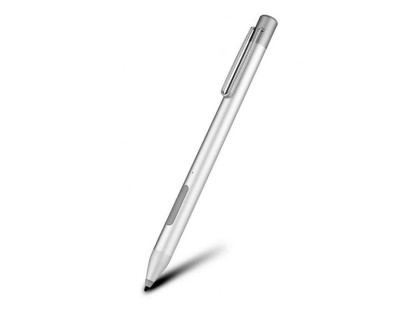
Microsoft Surface Active Stylus
Digital stylus compatible with Surface, designed for precise writing and drawing thanks to its sensitivity, pressure support and low latency.
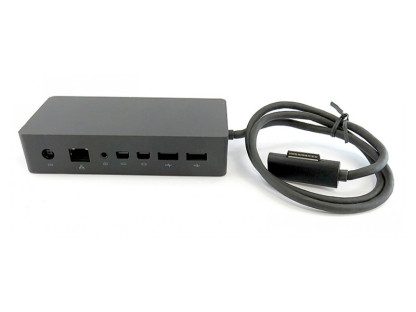
Expand your Surface laptop’s connectivity with additional ports and support for external monitors using a single cable.
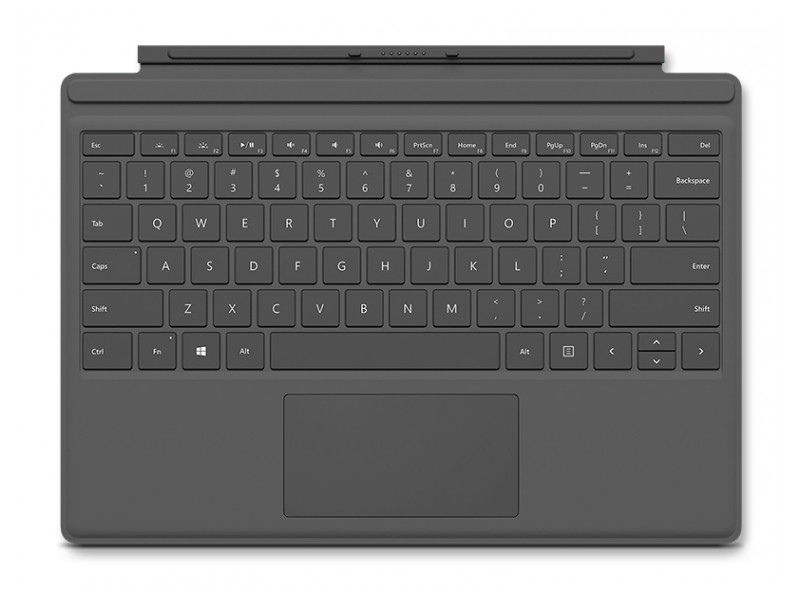
Keyboard compatible with Surface Pro 3 to 7, featuring a magnetic connection and precise typing to transform the tablet into a productive device.
Are you looking for more compatible accessories for your model? You can browse our tablet accessories section at Zoca.
Types of Surface by use
Surface Pro: productivity and mobility
The Surface Pro is probably the most representative model in the range. It combines a tablet-style format with the option to use a keyboard and mouse when a more traditional way of working is needed.
It is a good option for people who are often on the move and want a lightweight device that can still handle a full day’s work with Windows. It is particularly practical for meetings, taking notes with a digital stylus or working in spaces where a traditional laptop would be uncomfortable to use.
Surface Laptop: traditional laptop with a touchscreen
The Surface Laptop offers an experience closer to that of a conventional laptop. The keyboard is fixed, and the design is very similar to any ultrabook, with the addition of a touchscreen.
It is well suited to users who spend long hours typing, managing spreadsheets or taking video calls, and who do not need a convertible format but value a high-quality display and a comfortable, stable user experience.
Surface Laptop Studio: design and content creation
The Surface Laptop Studio is designed for users with more demanding needs. Its design allows the screen to be adjusted for drawing, editing or working with visual content in a more natural way.
It is commonly used for graphic design, digital illustration or light video editing. It is not intended for basic use, but rather for those who can truly take advantage of its power and stylus interaction.
Surface Go: study and basic use
The Surface Go is the most compact option in the family. It is designed for simple tasks such as web browsing, academic work, email or online classes.
It performs well for moderate use when a compact size is a priority, but it is not designed for intensive workloads.
Recommended products
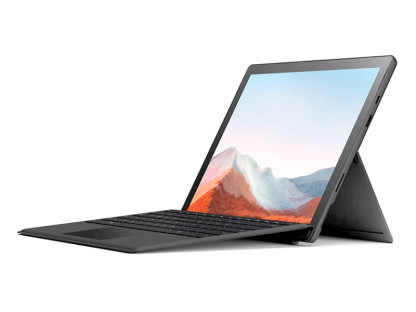
Microsoft Surface Pro 7 Plus Kit
2-in-1 device with an Intel Core i7 processor, 16 GB of RAM and a 256 GB SSD, combining portability and performance with a 12.3” 2K touchscreen and included keyboard.
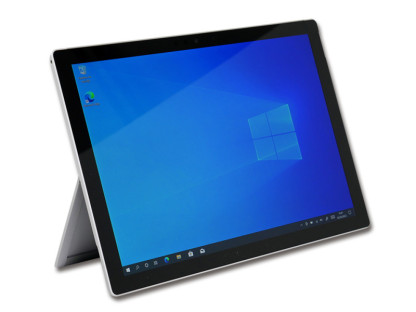
Tablet with a 12.3” touchscreen, Intel Core i7 processor, 16 GB of SO-DDR4 RAM and a 256 GB M.2 SSD, designed to deliver solid performance for productivity and mobile working.
To explore more options, visit our selection of refurbished Surface devices at Zoca.
Key considerations before buying a Surface
Processor and memory performance
Performance depends heavily on the configuration. For smooth everyday use, it is best to choose a device with sufficient memory and a well-balanced processor. This can make the difference between a responsive experience and one that falls short over time.
Touchscreen quality and user experience
One of the most highly valued features of Surface devices is the quality of the display. The touchscreen response is precise, and the viewing experience is comfortable for both working and consuming content. This is especially noticeable during extended reading, light editing and use with a digital stylus.
Accessory compatibility (Surface Pen and keyboard)
Not all models include a keyboard or stylus. The Surface Pen and official keyboards greatly improve the experience, but it is important to check exact compatibility with each model before making a decision.
Storage and expansion options
On most Surface devices, internal storage cannot be easily expanded. It is therefore advisable to plan for the medium term and choose a capacity suited to the intended use, using external or cloud storage if necessary.
How long does a Surface battery last?
Estimated battery life vs real-world use
The figures provided by the manufacturer are usually measured under ideal conditions. In everyday use, battery life depends heavily on how the device is used. In general, a well-configured Surface can last through a moderate working day, but results vary depending on the model and the type of tasks performed.
Factors that have the greatest impact on battery life
Screen brightness, continuous WiFi use, video calls and having many applications open directly affect power consumption. The condition of the battery is also important in devices that have been in use for longer.
Which models stand out for battery life
Surface Laptop models generally offer more consistent battery life than more compact or more powerful models, which prioritise mobility or performance over endurance.
How to restart a Microsoft Surface
Normal restart from Windows
A standard restart from the Windows menu is usually enough to resolve minor issues or apply updates. It is a simple and recommended process when the system starts behaving irregularly.
Forced restart when the device is unresponsive
If the device freezes, holding down the power button for a few seconds allows you to shut it down and restart it. This is an occasional solution, not something that should be done regularly.
When to restart and when not to
Restarting can help when the device suddenly becomes slow or after certain updates. If everything is working correctly, there is no need to do it frequently.
Which Surface should you choose based on your needs?
Home user
For balanced home use, Surface Laptop or Surface Pro models usually cover most needs, depending on whether you prefer a more traditional or more flexible format.
Student
Surface Go or Surface Pro models with suitable configurations allow students to study, take notes and work comfortably without carrying a bulky device.
Creative professional
Surface Laptop Studio or a well-configured Surface Pro are better suited to work where the stylus and touchscreen provide real value.
Business and remote work
Surface Laptop stands out for its stability, comfort during extended use and seamless integration into Windows-based working environments.